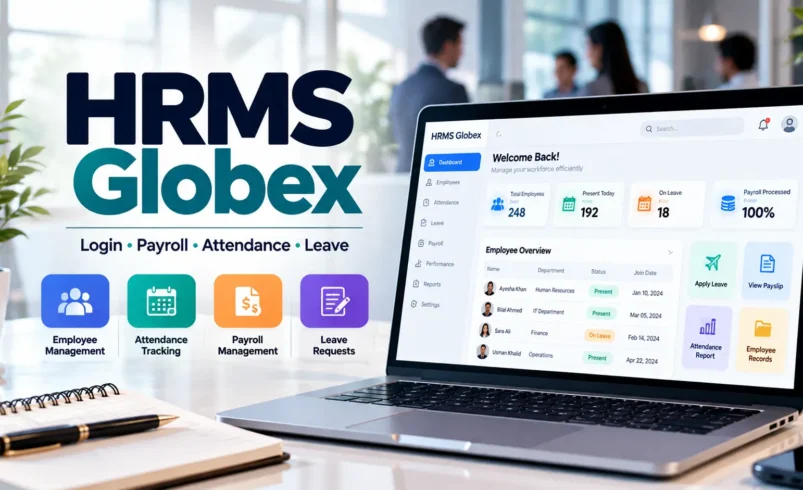
HRMS Globex is most clearly associated with a web-based Human Resource Management System used through an employee login portal. HRMS stands for Human Resource Management System, a category of software organizations use to manage employee information and routine HR processes digitally rather than relying entirely on spreadsheets, paper forms, email chains, and separate administrative tools. The publicly accessible HRMS Globex portal currently presents a username, password, CAPTCHA, and password-recovery option, which indicates that it is designed for authorized users rather than open public registration.
The term becomes slightly confusing because a separate website using the HRMS Globex name also presents itself as an all-in-one HR platform covering employee information, payroll, attendance, leave, performance, and recruitment. That website is publicly accessible, but its relationship with the employee portal at hrms.theglobex.com is not clearly established through the public information currently available. For employees, this distinction matters because the safest login link is the one provided directly by their employer or HR department rather than a third-party article or similarly named website.
What Is HRMS Globex?
HRMS Globex refers most clearly to an online HR portal through which authorized employees can access workplace-related services. A Human Resource Management System usually brings several HR functions into one digital environment so employees, managers, and HR staff do not have to handle every request manually. Depending on how an organization configures its system, an HRMS may include employee records, attendance, leave requests, payroll information, performance reviews, documents, reporting, and other administrative functions.
The public HRMS Globex page itself does not display a complete feature dashboard before login. It confirms that users need credentials and includes a forgot-password option, but the exact modules available after login are private. This means it is better to distinguish between confirmed portal features and functions commonly associated with HRMS software rather than assuming every employee sees the same tools.
HRMS Globex Login Portal
The publicly accessible portal currently appears at hrms.theglobex.com/Web/Default.aspx. Its login screen asks users for a username, password, and CAPTCHA before access is granted. It also includes a forgot-password link.
For an employee who has been instructed by their company to use HRMS Globex, the normal process should be straightforward:
- use the exact portal link supplied by HR or IT;
- enter the employer-issued username;
- enter the correct password;
- complete the CAPTCHA shown on screen;
- submit the login form;
- and access only the modules permitted for your account.
The exact username format may differ between organizations. It could be an employee code, corporate username, or another identifier, so users should rely on their employer’s instructions instead of guessing.
Why You Should Verify the Login URL
HR portals contain sensitive workplace information. Depending on the system, an account may expose personal information, attendance data, salary details, tax information, leave balances, performance records, or internal company documents. This makes fake HR login pages especially dangerous because a copied login design can be used to collect employee credentials.
The HRMS Globex name currently appears across many third-party guides, and a separate hrmsglobex.com website also uses the same branding while describing broader HR software features. The public information does not clearly establish that this site operates the hrms.theglobex.com login portal. Therefore, employees should not assume every site containing “HRMS Globex” is an official login page.
The safest approach is simple: obtain the login URL directly from your employer, onboarding documents, HR email, or IT department and bookmark it once confirmed.
What Can an HRMS Usually Do?
A modern HRMS is designed to reduce repetitive administrative work by keeping workforce information in one organized system. Instead of asking HR to manually retrieve every payslip, leave balance, attendance record, or employee detail, the system can make approved information available directly to the user.
Common HRMS functions may include:
- employee profile management;
- attendance records;
- leave requests and approvals;
- payroll and salary information;
- payslip access;
- performance reviews;
- employee documents;
- recruitment workflows;
- onboarding;
- manager approvals;
- reporting and analytics;
- and employee self-service.
These are common HRMS functions generally, and they are also features that the separate HRMS Globex marketing site claims to support. However, users should not assume that every one of these modules appears inside the private hrms.theglobex.com portal unless their employer confirms it.
Employee Self-Service in HRMS Globex
Employee self-service is one of the most useful ideas behind an HR management portal. Instead of contacting HR every time basic information is needed, employees may be able to view or submit certain information directly. For example, an HRMS can allow someone to request leave, review attendance records, download a document, update permitted profile information, or check the status of an HR request.
The exact options depend on permissions. A new employee may see fewer sections than a manager. HR staff may have administrative controls unavailable to ordinary employees, while managers may receive approval tools for their teams. This role-based structure is normal in HR software because salary, performance, recruitment, and personal records should not be visible to every user.
Attendance Management
Attendance tracking is one of the most common reasons companies move from manual systems to an HRMS. A digital system can store check-in records, working days, absences, late arrivals, shifts, or other attendance-related information depending on the employer’s policy and technical setup.
For employees, having attendance information available in one place can make discrepancies easier to identify. If the system shows a missing day or incorrect status, the user can usually contact HR or follow an internal correction process instead of waiting until payroll is processed.
Organizations should still remember that HR software only reflects the data supplied to it. A sophisticated dashboard cannot correct poor attendance data automatically if the underlying records are incomplete or inaccurate.
Leave Management
Leave management can become complicated when requests are handled through email, spreadsheets, and verbal approvals. An HRMS can centralize the process by allowing employees to submit leave requests electronically while managers review them through the same system.
A typical leave module may show:
- available leave balance;
- leave already used;
- pending requests;
- approved or rejected requests;
- leave type;
- dates requested;
- manager comments;
- and holiday calendars.
Again, these are standard HRMS capabilities rather than a promise that every HRMS Globex account displays all of them. Organizations configure systems according to their own policies.
Payroll and Salary Information
Payroll is one of the most sensitive areas of any HR system. A properly configured HRMS may connect employee records, attendance, salary components, deductions, and payroll calculations so that organizations can maintain more consistent records.
Employees may also be given access to salary slips or payroll history through a self-service dashboard. That can reduce routine requests to HR and give employees a clear place to retrieve their own documents.
Because payroll data is sensitive, users should be especially cautious when entering credentials into a portal reached through search results. An HR login page should be verified through the employer before any password or employee code is entered.
Performance Management
Performance management is another area commonly handled through HR systems. Organizations may use digital workflows for goal setting, self-assessments, manager reviews, rating periods, feedback, appraisal letters, and development planning.
One third-party analysis of the Globex portal reports that publicly available documents connected with the system reference a Performance Management System involving employee self-review, reporting-manager review, final review, and appraisal-related processes. This suggests that performance management may be one of the real functions associated with the portal, although access and workflow can vary by employee role.
Recruitment and Onboarding
The separate HRMS Globex marketing website lists recruitment among the functions of its claimed all-in-one platform. In HR software generally, recruitment modules can help organizations maintain candidate records, job applications, interview stages, hiring approvals, and onboarding tasks.
Once a candidate becomes an employee, onboarding workflows can be used to collect documents, assign policies, create employee records, and track early administrative tasks. Keeping this information inside one system can reduce repeated data entry, although successful onboarding still depends on good HR processes outside the software.
HRMS Globex Dashboard
A dashboard is usually the first page users see after signing in to an HRMS. It provides shortcuts to the functions available for that particular account. Because the HRMS Globex dashboard is not publicly visible without credentials, screenshots or feature lists from unrelated articles should not automatically be assumed to represent every user’s real interface.
Depending on role and employer configuration, an HR dashboard could include items such as:
- attendance summary;
- leave balance;
- pending approvals;
- employee profile;
- payroll documents;
- performance tasks;
- company announcements;
- and HR requests.
Managers may have additional team-related sections, while HR administrators normally have wider access.
Forgot HRMS Globex Password
The public HRMS Globex login portal currently includes a Forgot password? option. Employees who cannot remember their password should use the official recovery process rather than repeatedly guessing passwords or using third-party “password recovery” websites.
If password recovery does not work, the safest next step is to contact the employer’s HR or IT team. They can confirm whether the account is active, whether the correct employee identifier is being used, and whether the account has been locked.
Employees should never provide their password to someone claiming they need it to reset the account. Legitimate IT administrators can normally reset credentials without needing to know the user’s existing password.
Why HRMS Globex Login May Not Work
Login failures do not always mean the HRMS platform is down. Many everyday problems can prevent access, including an incorrect username, wrong password, expired credentials, an unreadable CAPTCHA, account lockout, browser problems, network restrictions, or maintenance.
Useful checks include:
- confirm the exact login URL;
- re-enter credentials carefully;
- check Caps Lock;
- refresh the CAPTCHA if necessary;
- try the password-recovery option;
- test another supported browser;
- clear only relevant browser cache/cookies if needed;
- check the internet connection;
- and contact HR or IT if the account may be locked.
Avoid installing third-party “HRMS login tools” or browser extensions to solve an access problem.
What If the CAPTCHA Keeps Failing?
The current public login screen includes a CAPTCHA field, which is intended to reduce automated login attempts. If the code is difficult to read, use the refresh option on the login page rather than repeatedly submitting an uncertain value.
Browser zoom, cached page data, JavaScript restrictions, or connectivity issues can sometimes interfere with CAPTCHA systems. Reloading the official page or trying another approved browser can help.
If the CAPTCHA continually fails despite correct input, the employee should report the issue to internal IT rather than trying unofficial workarounds.
HRMS Globex on Mobile
A web-based HRMS can often be accessed from a mobile browser if the portal is designed responsively, but mobile availability should not automatically be interpreted as proof of an official app. Current public evidence clearly establishes the web login page, while an official HRMS Globex mobile application is not equally obvious from the sources reviewed.
Employees should therefore be careful with APK files or apps that claim to provide HRMS Globex access. If an organization has an official mobile application, HR or IT should provide the correct app-store link.
A random download page should never be trusted with workplace credentials.
Is HRMS Globex Cloud-Based?
The separate HRMS Globex website describes its product as an online or cloud-oriented HR management platform. The employee portal is also web-based, which means users access it through a browser rather than traditional locally installed desktop software.
However, being web-accessible does not tell us the complete technical architecture. Terms such as cloud-based, SaaS, hosted, and web-based are often used loosely in marketing. Without detailed technical documentation, it is better to say that the system is accessible through a web portal rather than inventing specific hosting or infrastructure claims.
Benefits of Using an HRMS
The main value of HR software comes from organization and automation rather than flashy dashboards. When implemented correctly, an HRMS can reduce duplicate records, make routine employee services easier to access, and give HR staff more time for work that cannot be automated.
Potential benefits include:
- one central employee record;
- faster leave workflows;
- easier access to HR documents;
- fewer manual calculations;
- clearer approval trails;
- reduced spreadsheet dependency;
- improved record consistency;
- and better visibility for managers.
These benefits depend on configuration and data quality. Buying HR software does not automatically fix inefficient HR processes.
HRMS Globex Security
HR systems handle information that employees would not normally publish publicly. This can include contact details, employment records, salary data, identity documents, performance information, and potentially financial details. That makes security an essential part of HRMS use.
Employees should follow basic account-security practices:
- use a unique password;
- never share credentials with coworkers;
- verify the domain before signing in;
- avoid logging in on shared public devices;
- sign out after using an unfamiliar computer;
- do not save passwords in untrusted browsers;
- report suspicious login emails;
- and use multi-factor authentication if the employer provides it.
The responsibility is shared. Employees need safe login habits, while employers need secure authentication, access controls, logging, backups, and appropriate handling of employee data.
Why There Is Confusion Around HRMS Globex Online
HRMS Globex currently has an unusual search footprint. Numerous articles describe it as though it were a normal commercially available HR SaaS product, complete with broad feature lists and login instructions. At the same time, the clearest first-hand evidence is the employee login portal itself, which does not advertise public signup, pricing, or a trial.
There is also the separate hrmsglobex.com website, which calls itself an all-in-one HRMS and publishes general articles about HR technology. Its homepage includes a Bengaluru address and contact details but does not publicly establish a clear technical relationship with the employee portal.
This means readers should avoid combining every HRMS Globex page into one assumed product history.
Is HRMS Globex a Public SaaS Product?
The public login portal looks more like an employer-issued internal service than a conventional public SaaS signup page. It asks existing users for credentials rather than offering account creation or public pricing.
The separate HRMS Globex website uses broader SaaS-style marketing language, but without a clearly demonstrated connection to the login portal, the two should be considered separately unless further official information confirms otherwise.
For employees, this distinction does not change the most important advice: use only the HR portal officially supplied by the employer.
How Employees Should Access HRMS Globex Safely
If your organization genuinely uses HRMS Globex, the process should begin with employer communication, not a search engine. Your HR team, IT department, manager, onboarding document, or official company intranet should provide the correct portal address.
Once verified:
- bookmark the official portal;
- avoid repeatedly searching for the login page;
- use your employer-issued credentials;
- keep the password unique;
- ignore third-party sites asking for HRMS credentials;
- and report suspicious pages to your IT department.
This simple habit reduces the risk of accidentally landing on an imitation login page.
What HR Teams Should Check Before Using Any HRMS
For organizations evaluating HR software, the questions should go much deeper than the feature list. Payroll, leave, and attendance modules are common across the market. The more important questions involve reliability, data handling, integration, support, implementation, and long-term ownership.
An HR team should investigate:
- who owns and operates the platform;
- where employee data is stored;
- what security controls are available;
- how backups are handled;
- how user permissions work;
- what support is included;
- how payroll rules are configured;
- which integrations are supported;
- how employee data can be exported;
- and what happens if the organization stops using the system.
These questions matter more than a long marketing list containing features every HR platform claims to have.
HRMS vs HRIS vs HCM
HR technology terminology can also be confusing. HRMS, HRIS, and HCM are sometimes used interchangeably even though vendors may draw distinctions between them.
HRIS, or Human Resources Information System, traditionally emphasizes employee records and core HR administration. HRMS often describes a broader system that may add payroll, attendance, performance, recruitment, and employee self-service. HCM, or Human Capital Management, is often used for wider workforce planning, talent management, and strategic HR tools.
In practice, vendors use these labels differently, so the actual module list is more important than the category name.
Is HRMS Globex Legit?
A real web login portal currently exists at hrms.theglobex.com, so it would be inaccurate to say the HRMS Globex name is entirely invented. What remains unclear publicly is the full ownership structure, commercial product history, and relationship between that portal and other websites using the HRMS Globex name.
That means legitimacy should be judged in context. If your employer has officially provided the portal and credentials, verify the URL through HR or IT and use the system as instructed. If you discovered the portal only through a random article and have no workplace connection to it, there is no reason to enter personal information or credentials.
Common HRMS Globex Mistakes
Most problems around HR portals are avoidable. Employees sometimes bookmark third-party guides rather than the real login page, reuse personal passwords, enter credentials after clicking an unknown email link, or assume every page using company branding is genuine.
The most common mistakes include:
- logging in through an unverified search result;
- using the same password on personal accounts;
- sharing credentials with colleagues;
- entering details into unofficial apps;
- assuming every HR module is visible to everyone;
- repeatedly guessing a locked password;
- and downloading files claiming to “unlock” HRMS access.
A workplace HR system should never require suspicious third-party tools simply to access an employee account.
Final Thoughts
HRMS Globex is most clearly connected with a web-based employee HR portal that requires a username, password, and CAPTCHA to access. The portal is intended for authorized users and includes a password-recovery option. This confirms a real HRMS login environment, but it does not publicly reveal every internal module or establish every feature claimed by third-party articles.
A separate HRMS Globex website describes an all-in-one HR platform covering payroll, attendance, leave, performance, recruitment, and employee data, but the public relationship between that website and hrms.theglobex.com remains unclear. Keeping those two sources separate produces a much more accurate picture than combining every online claim into one product description.
For employees, the practical rule is straightforward: use the exact HRMS link supplied by your employer, protect your credentials, and contact HR or IT when access fails. For organizations evaluating HR technology, focus on verifiable ownership, data security, support, integrations, and implementation rather than relying only on feature lists.
Frequently Asked Questions
What is HRMS Globex?
HRMS Globex most clearly refers to a web-based Human Resource Management System portal used by authorized employees to access workplace HR services.
What is the HRMS Globex login?
The publicly accessible portal currently appears at hrms.theglobex.com/Web/Default.aspx and asks for a username, password, and CAPTCHA. Employees should still confirm the exact URL with their employer.
Can anyone create an HRMS Globex account?
The public login portal does not offer open account registration. Access appears intended for users whose credentials have already been issued through an organization.
What features does HRMS Globex have?
The public portal confirms login and password recovery. Broader functions commonly associated with the name include employee records, attendance, leave, payroll, performance, and recruitment, although exact modules should be confirmed by the employer.
What should I do if I forget my HRMS Globex password?
Use the official forgot-password option on the verified login portal or contact your employer’s HR or IT department.
Why can’t I log in to HRMS Globex?
Possible reasons include incorrect credentials, an expired password, CAPTCHA errors, an account lock, browser problems, network issues, or system maintenance.
Is HRMS Globex safe?
A real login portal exists, but employees should use only the exact URL confirmed by their employer because multiple third-party pages and similarly named websites appear in search results.
Is HRMS Globex a public software product?
The employee portal appears designed for authorized organizational users rather than public self-registration. A separate website markets an HRMS Globex product, but its relationship to the employee portal is not publicly clear.
Does HRMS Globex have a mobile app?
The web portal is verifiable, but an official universal mobile app is not equally clear from the public evidence reviewed. Employees should use only app links provided by HR or IT.
What does HRMS stand for?
HRMS means Human Resource Management System, software used to manage employee information and HR processes digitally.
For More Visits: Zavalio Com: What Zavalio.com Is, How It Works and What Readers Should Know